Install guide
-
Join our Discord.
Join our Discord and read the rules and the concept. You can also get help there if something goes wrong.
-
Install the game through Steam.
If you have not done so yet: install Life is Feudal: Your Own in Steam, but do not start it yet.
-
Download the patcher and unpack it.
You find the download on the main website in the section “Join Myralon”. Create its own folder on your drive, for example
C:\Games\GMC\, and unpack the ZIP file there – not into the game folder.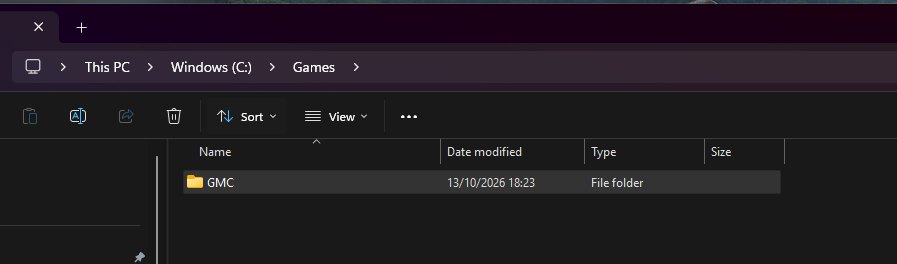
Afterwards your folder looks roughly like this. The important file is
GmcPatcher: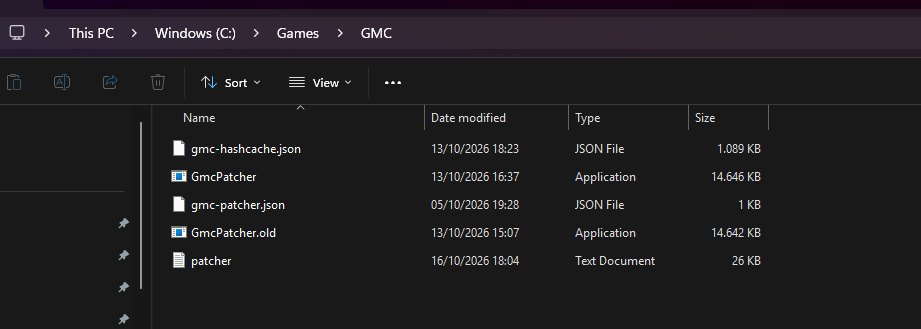
-
Open the game’s properties in Steam.
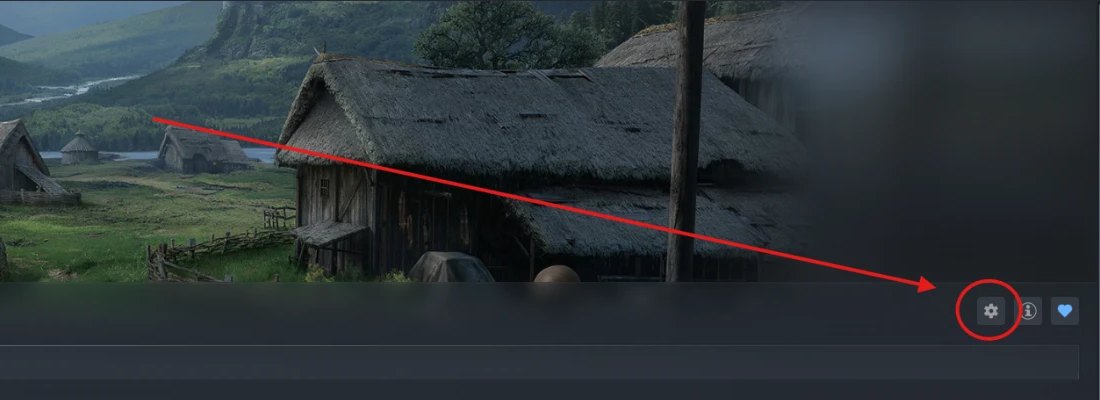
In your Steam library open the page of Life is Feudal: Your Own and click the gear icon on the right.
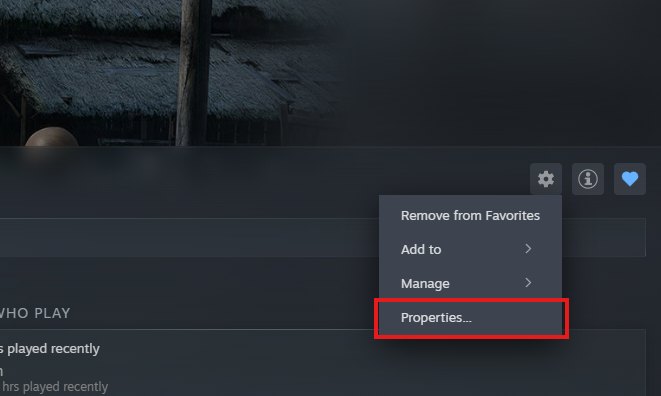
Choose Properties in the menu.
-
Enter the launch option.
On the General tab you find the Launch Options field. Paste this (adjust the path if needed):
"C:\Games\GMC\GmcPatcher.exe" %command%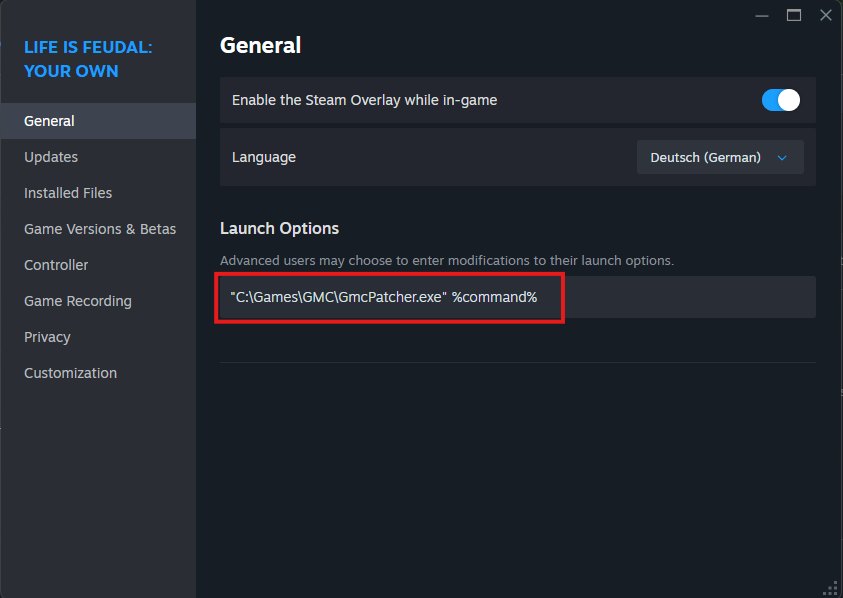
-
Start the game through Steam.
On the first start the patcher downloads the modpack (about 3 GB). Let it finish. After that it only downloads changes.
-
Join the server.
Choose the server “Wulpische Lande: Myralon”, create your character and have fun! Read the server rules first.
Die wulpischen Lande is an independent community project for Life is Feudal: Your Own. It is not affiliated with, endorsed by, or sponsored by the game's developers, publishers or rights holders. A legitimate copy of the game is required to play. All trademarks and game-related rights belong to their respective owners.